
What Is Garmin LiveScope — and How Is It Different from Traditional Sonar?
If you've fished Southwest Florida for any length of time, you already know what a good sonar unit can do: mark depth, show the bottom composition, and paint a general picture of fish suspended in the water column. Traditional sonar and even modern CHIRP technology work by sending a sound pulse straight down, interpreting the return signal, and drawing a scrolling 2-D history of what just passed under the transducer.
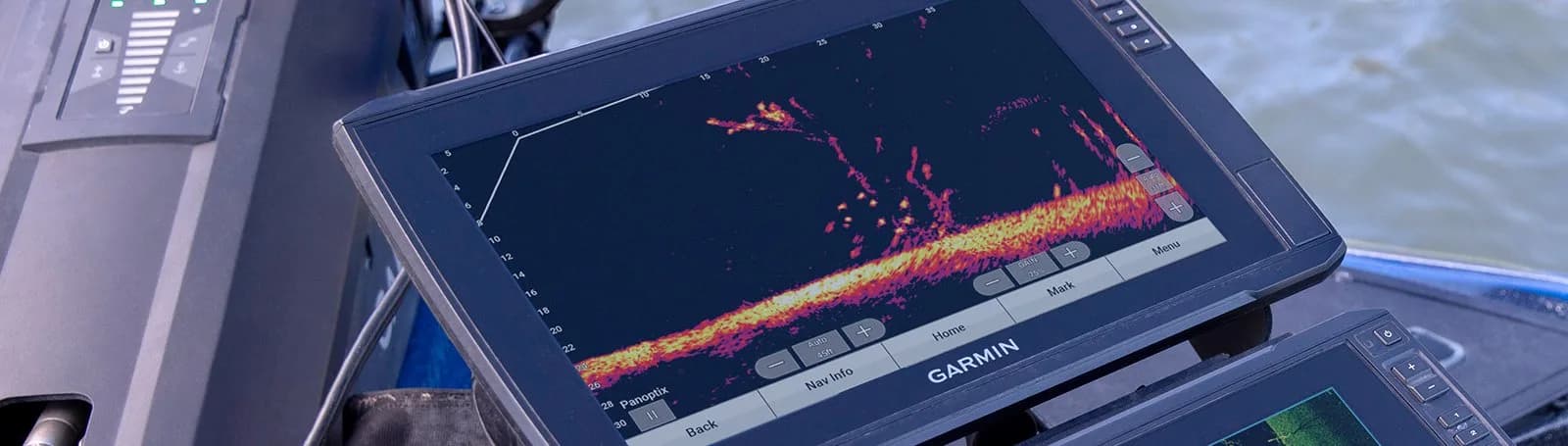
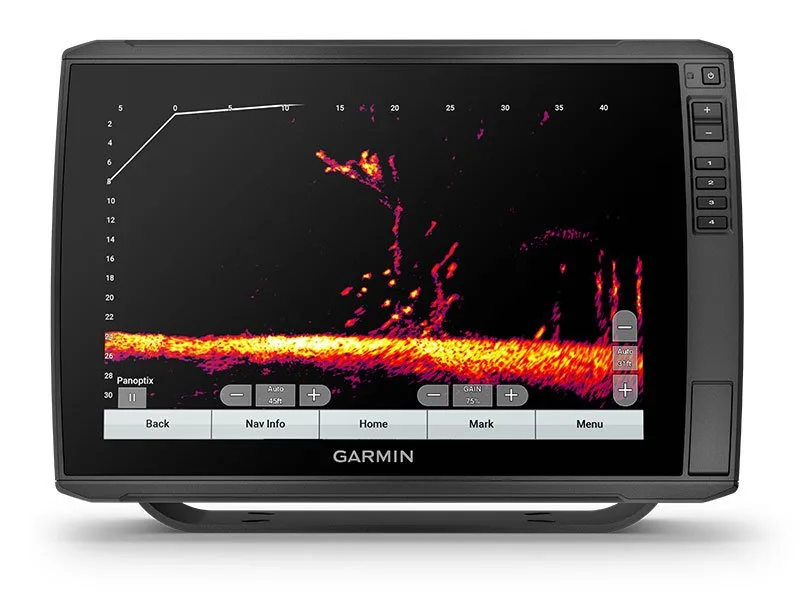
Garmin Panoptix LiveScope does something fundamentally different. Instead of a historical snapshot of what you've already passed over, LiveScope delivers a live, real-time image of what is in front of or below your boat — right now. The system uses a phased-array transducer that sweeps a sonar beam across a wide field of view, and the Garmin display renders the return as a continuously refreshed picture. You can watch individual fish swim. You can see a baitball react when a snook pushes through it. You can watch your lure fall through the water column and observe whether a fish follows it before you ever feel a bite.
That is not an incremental upgrade. It is a genuinely different category of tool.
Why LiveScope Matters in SWFL Waters Specifically
Southwest Florida gives anglers an unusually diverse set of fisheries within a short run of each other — and LiveScope performs well across all of them.
Inshore and Flats Fishing
On the Charlotte Harbor system, Pine Island Sound, Estero Bay, and Ten Thousand Islands, many of the most productive situations involve fish sitting tight to structure: mangrove roots, oyster bars, dock pilings, grass edges. Traditional sonar rarely helps you here — the water is too shallow and you're moving too slowly for a scrolling display to tell you much.
LiveScope's Forward mode changes the equation on the flats. You can idle toward a mangrove point and see a school of redfish stacked in the shade before you're close enough to spook them. On a deeper flat or in a tidal pass, you can watch snook positioned in the current and place a cast precisely. Tarpon hunters have used LiveScope to track rolling fish between sightings and confirm depth before a cast.
Passes and Nearshore Structure
Big Carlos Pass, Boca Grande Pass, Doctors Pass — the passes around SWFL funnel massive amounts of bait and predators, especially during seasonal runs. LiveScope in Down mode lets you watch the bait column in real time and see exactly how deep the kings, tarpon, or cobia are sitting. Instead of guessing based on a scrolling arch, you're watching the fish and adjusting your depth in real time.
Nearshore artificial reefs, ledges, and live-bottom areas reward LiveScope users similarly. Drop a jig, watch it on screen, and observe whether fish are rising to it or ignoring it. The feedback loop is immediate.
Offshore
In deeper Gulf water, LiveScope complements — rather than replaces — a quality down-imaging or CHIRP unit. It earns its keep most on structure-fishing scenarios: watching grouper come off a bottom rock to inspect a bait, seeing the cloud of bait on a wreck and identifying whether amberjack or snapper are the primary species, or tracking a slow-trolled live bait in the column. At significant depth, the forward-looking range is more limited, but the down-looking view remains highly informative.
What You Need to Run LiveScope
The LiveScope system has a few required components — understanding them upfront prevents surprises.
A compatible Garmin chartplotter/display. LiveScope requires a Garmin ECHOMAP Ultra or GPSMAP series unit (or another LiveScope-compatible display) with sufficient processing power. Not every Garmin screen is compatible — check compatibility before purchasing a transducer alone.
The Panoptix LiveScope transducer. The transducer is the phased-array element that does the actual scanning. The current LiveScope Plus system includes the LVS34 transducer, which supports both Forward and Down perspectives. Older LiveScope systems used a separate black box (GLS 10); the LiveScope Plus integrates that processing into the transducer itself.
A proper mount. How and where the transducer is mounted matters enormously. A trolling motor mount is the most common and often most effective option for inshore anglers — it keeps the transducer at the bow, aimed in the direction you're fishing. Transom mounts and in-hull options exist, but the geometry of the transducer's sweep means placement directly affects image quality. Getting it wrong means a noisy, bubbled-out picture at any speed.
Networking (if combining with other units). If you're running multiple Garmin displays or want to share LiveScope data across a helm and a console, you'll want to understand Garmin's networking (Panoptix requires Ethernet on most setups, not just NMEA 2000).
Common Setup Mistakes — and How to Avoid Them
LiveScope is sophisticated technology, and a poor installation produces poor results regardless of how good the hardware is. These are the mistakes we see most often.
Wrong transducer angle. LiveScope's phased beam has a specific optimal tilt depending on whether you're using Forward or Down mode. An incorrectly angled transducer shows a skewed, cluttered image. Proper setup involves adjusting the physical mount and dialing in the tilt setting in the display menu together.
Turbulence from hull spray or motor exhaust. Mounting the transducer where prop wash or hull spray crosses it introduces bubbles that completely destroy the image at any speed above idle. Transducer placement needs to account for your specific hull's hydrodynamic behavior at real fishing speeds.
Skipping the sensitivity and palette settings. Out of the box, LiveScope may look busy or washed-out until gain, contrast, and color palette are tuned to your typical water conditions. SWFL's tannin-stained backwater and the clearer Gulf water call for different settings. Learning to read the image takes a little time on the water.
Mounting a trolling motor transducer without accounting for motor direction. If the transducer mount is fixed to the motor housing and your motor rotates to steer, the forward image rotates with it — which can be disorienting until you adjust. Some anglers prefer a dedicated bow mount independent of the motor.
Professional Installation Makes a Real Difference
You can buy a LiveScope system and install it yourself, and plenty of experienced boaters do exactly that. But the gap between a technically-functional install and a dialed-in install is wider with LiveScope than with almost any other electronics upgrade. The transducer placement decision, the wiring route, the network integration with existing units, and the initial settings calibration all affect real-world image quality — and those are the things a professional installation gets right the first time.
Fish Tale Boats handles Garmin sales and installation at Fish Tale Boats from our Fort Myers location, where our certified marine technicians mount, wire, and commission the system on your specific boat. We also work from our Bonita Springs and Naples locations for service customers throughout Southwest Florida. If you want LiveScope tuned correctly for the way you fish — not just bolted on and handed back — that matters.
Ready to See the Difference?
LiveScope is one of those upgrades that anglers who have it describe as impossible to fish without once they've used it. Whether you're stalking redfish on a shallow flat, working a snook dock at night, or dropping on a nearshore wreck, seeing the fish in real time changes every decision you make.
Call us at (239) 463-4448 to talk through which Garmin setup fits your boat and your fishery — or stop by Fish Tale Boats in Fort Myers and let us show you what LiveScope looks like on the water.